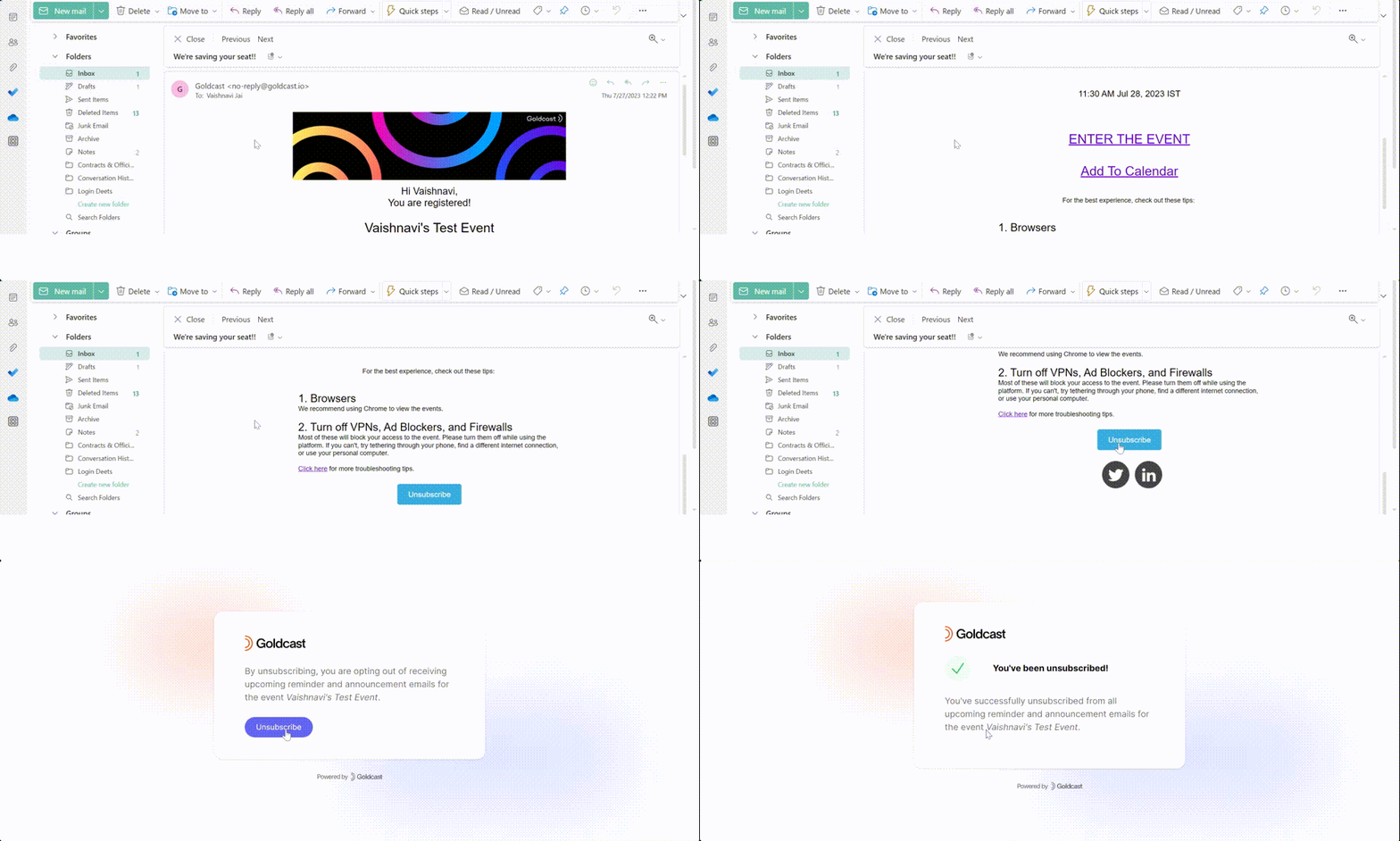
Follow these steps to STOP receiving reminders and other custom emails for Goldcast events:
- Open the email you received from Goldcast.
- Click the Unsubscribe link or button. It's usually present below the main content or in the footer.
- Confirm your action by clicking Unsubscribe on the landing page.
- Watch out for the success notification.
Note:
- Even if you unsubscribe from event reminder emails, we'll still send you important administrative emails such as calendar invites, magic links, registration emails, and event cancellation emails.
- Unsubscribing from reminder emails does NOT impact your ability to attend the event, as magic links still work.